
Canon Printer Repair Dubai, UAE
Business Hours
Sunday-Thursday: 9:00 am – 8:00 pm
Friday: Closed.
Price: Starts from 49 AED
Diagnosis Time: 40 Minutes
Repair Time: 1-2 Days (Depending on the Problem)
Site Visit Charge: 49 AED
Parts: Usually from manufacturers or else local.
Warranty: 6 Months
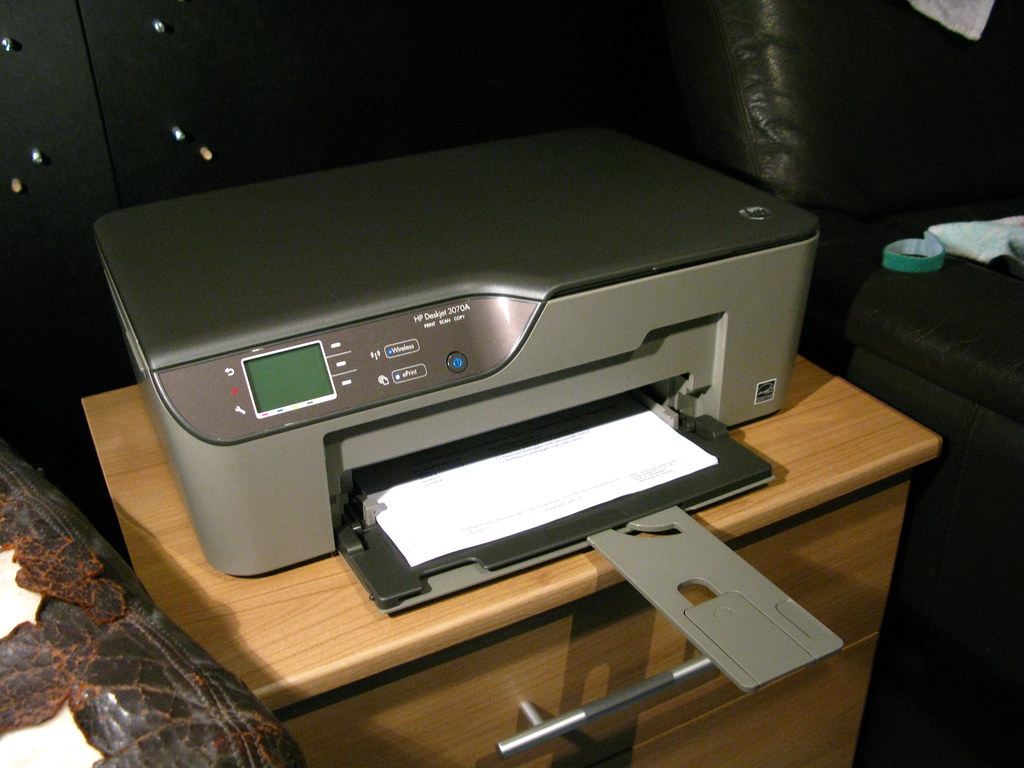
Hire the Best-Rated Canon Printer Repair in Dubai
Canon printers are the top-notch choice for cost-effective, vivid, and sharp printing, especially for photo prints. As a professional, you might own a Canon printer but paper jams, inconsistent Wi-Fi connection, etc. may bother you time and again. Recurring issues with your Canon printer can give you downtime.
On the other hand, not fixing such problems from within can hamper your Canon printer’s functionality. Canon printer repair in Dubai is now easy with Printer Repair Near Me’s quick and doorstep services. Be it precise diagnostics, original spare parts, or on-time delivery of service, we excel in every field for Canon printers.
Besides repair emergencies, we strongly feel that regular maintenance can keep your Canon printer functional and long-lived. That’s why our technicians are an easy call for Canon inkjet printer cartridge replacement, ink refilling, ink-level check, cleaning, and much more. Thus, you never have to fall behind the deadline of an assignment or important document submission.
On top of that, you don’t have to bring your printer to our Canon printer repair shop near me. Instead, our IT professionals will reach you and repair your defective Canon printer in a short time. So, get back to your business within the shortest timeframe possible by calling our Canon printer repair Dubai team.
Repair Services Your Canon Printer Needs
Your Canon printer may collapse as soon as an error code appears on its LCD panel. Now, error codes can vary from one Canon printer to another. Understanding every error code and mitigating them on your own isn’t feasible. Let our Canon printer repair in Dubai help you with the utmost care and attention to your printing device deserves.
Printers can be complex and require immediate action from expert troubleshooters. Otherwise, minor issues can accumulate into a big one and hamper your Canon printer’s performance. Printer Repair Near Me is your literally next-door printer solution provider that can reach you without any downtime.
Then, our technicians will look into the printer hiccups and run the required diagnostics to detect the reason. With years of experience in the field of Canon printer services near me, all these tasks are pieces of cake for our specialists. Let’s take a look at our extensive range of Canon printer repair Dubai services:
- Unclogging print head
- Restoring the paper feed mechanism
- Fuser assembly
- Ink or toner cartridge reinstallation
- Drum repair or replacement
- Roller replacement
- Formatter board replacement
- Scanner cable replacement
- Timing belt repair
- Paper drive motor replacement and more
Printer Repair Near Me is serious about high-quality repair and replacement. That’s why we stock only original and certified spare parts including ink and toner cartridges. From laser to inkjet, mono to colour, and multifunction Canon printers – we cover every type of printer.
Hence, don’t keep your Canon printer hanging on a string of uncertainty since our exclusive repair services are just a call away!
A printer has become a very essential device nowadays. In addition to offices, it is also largely used in homes by students and college-goers. And, one of the most popular brands when it comes to printers usage, especially in Dubai, is Canon.
A Canon printer provides you with excellent performance, in terms of professional as well as personal use. Every model of the printer from Canon comes with a wonderful set of features. But, like all other printers, the printers from Canon are not immune to canon printer errors and damages.
You might come across a situation where your Canon printer needs a repair. It can be quite tricky to repair a Canon printer once it starts showing errors. So, you’ll probably need expert help to effectively fix the problem faced by your Canon printer and get it back to work.
Your printer showing error might be an indication of a serious problem. But, you need not worry. We, as a Canon printer repair service center, offer you a printer repair service around the clock to ensure that you can get back to business as soon as possible. Canon printer repair service center Dubai is indeed a renowned service provider across UAE.
Common Problems that Indicates that your Canon printer needs a Repair
There are various kinds of problems that you might face when using your Canon printer. Many of these can be seen as signs that it’s time for you to take the printer for a repair. Following are the ones that are the most commonly observed by users —
Slow Working
This is a very common problem that is faced by Canon users. Even, if you haven’t faced it, you can imagine how annoying this problem can be. We have many customers who have come to us with this problem. If you are one among them, you can try reducing the print quality. And, if the problem persists, our experienced technical team canon printer service center dubai can provide an effective solution.
Not Printing
Another common problem you might face is that the printer is not performing the task you assigned it. In such situations, you must first examine whether the printer is securely plugged in. If it still doesn’t print, this can be a sign that you need to consult an expert. Also, sometimes a printer might not print even if it is powered properly. In such cases, you must make sure that you haven’t forgotten to delete any previous task. And, if the problem still remains, you must get it repaired.
Incomplete Printing
A lot of times you may find that you’re unable to complete the printing task, that you have assigned it. This problem can mainly be caused when you have assigned the printer to print a very high-quality file. If that is the case, then the printing will resume after the printer has processed the file. And there can be an issue where canon pixma having color printing issue or paper stuck. But, if your printer doesn’t do so, you need not worry. You can consult with our experts to gain advice. It might also be that your printer needs repair.
Unable to Connect to Wi-Fi
This is a problem that might be faced by wireless Canon printer users. Now, this can be due to various reasons. And, if you can’t find out the problem, there’s no need to worry at all. You can book our service, any time, and leave the job to us.
Bad Quality Prints
Sometimes, you might get bad quality prints out, from your Canon printer. Specifically, the printer might start producing faded prints. This can really be a very annoying problem that you face in inkjet printer. Since it’s happening in a Canon printer, which is known for its excellent performance, you must not ignore it. This can be caused due to various reasons. The most obvious reason behind it is that the ink has almost run out.
Another reason behind this happening could be that the ink has dried up. That is a possibility, in case, you haven’t used your Canon inkjet printer for a long time. In both cases, you have to buy a new cartridge. And, if the problem still persists for some reason, you can just stay calm and book our impeccable service. We would arrive right at your doorstep along with all the solutions for your problem.
Showing a ‘no paper’ alert
This is quite a common error by users of all brands of printers. Every printer faces this problem and Canon is unfortunately not an exception. But, it is also not a complicated problem. It is mostly caused when an object other than the paper has entered the rear tray.
Other than that, it can also be caused when you haven’t properly loaded the paper in the printer. Yet another reason behind this problem could be that the bundle of papers you have loaded is too thick. In all these cases, you can simply solve the problem at home. But, in case the problem gets hard to detect, then it’s better to call an expert, and that’s where we come to work.
Printer Scanner not Functioning well
This problem is also quite commonly faced by printer users. The scanner is a crucial component of the printer. If the scanner of your Canon printer is not functioning properly, you won’t be able to get good quality prints. So, in order to keep getting the most out of your Canon printer, you must have this problem fixed as soon as possible. And, our technical team canon printer service center dubai has immense experience in dealing with this problem.
Printer not Working: Emergency Canon Printer Repair in Dubai
Isn’t your Canon printer printing? Commonly, you will panic and try to apply some online DIY tricks to restore your Canon printer. However, those hacks might fail you and worsen the condition. A wise decision is to opt for the proven solution. And, we at Printer Repair Near Me are ready to serve you the right fix and guidance.
When your Canon printer doesn’t turn on or print, the following instances are mostly to blame. Check them out and find how our technicians can be a breeze of relief:
No Ink or Cartridge Malfunction
Our Canon experts always recommend branded cartridge replacements for the best results. So, your printer may not print if you don’t use recommended cartridges. Another hack is to check whether your printer has run out of ink or toner.
Call our printer repair specialists to get rid of such tantrums. Indeed, our technicians offer cartridge installation, alignment, and more. Call us to mitigate any cartridge setup error with your Canon printer and get instant solutions.
Blocked Printhead
Improperly installed cartridges are not the only reason your Canon printer will malfunction. Accumulated dust and dirt can hamper your printer’s efficiency by blocking its printhead. Check if your Canon printer comes with an in-built cleaning mechanism and run it.
Otherwise, contact our Canon printer repair Dubai experts to manually clean your printhead. Additionally, our experts will take care of the printhead alignment and paper feed trays for hassle-free printing.
Problematic Printer Software and Firmware
Outdated firmware and software can fail your Canon printer and you might not proceed with Wi-Fi or mobile printing. For a quick fix, you should check out your firewall settings and turn them off. Now, examine if your Canon printer works fine.
However, turning off your firewall can be a threat to your overall system. So, give our Canon printer repair shop near me a call. We offer firmware and software updates along with Wi-Fi configurations keeping your security unbreached for your Canon printer.
Stuck Print Queue
Are you still unable to print using your Canon device? Try to clear the print queue. Resetting the print queue can be a great option when the printer server is overloaded. However, print spooler errors can be stubborn in many cases.
Render professional help from our Canon printer service centre if you can’t get out of the stuck print queue. We send our printer fixers right away to your preferred location and they find you a stable fix.
Issues with Paper
Paper jams are quite common with printers regardless of brand. As a result, your Canon printer can stop printing. Pulling out the stuck paper might not be a wise decision. So, book our Canon printer repair in Dubai to eliminate paper issues.
Our experts will ensure that your printer won’t run into paper jams or similar consequences. Make sure that you use the correct size and good-quality papers from now on. Additionally, carefully stock paper on your printer.
Outdated Drivers
Yes, your Canon printer may stop working due to outdated drivers. Printer drivers convey the commands from the connected computer so that the printer can work accordingly. So, outdated drivers may lead to incompetence towards your printer and overall printing experience.
Don’t know how to check whether your printer requires a driver update? Hire our Canon primer specialists to eradicate driver-related dilemmas in a single appointment.
Offline Printer
Typically, the right tweaks can set your Canon printer from an offline status to online. For example, check whether you have connected both the printer and the computer to the same access point or Wi-Fi network. A defective cable or loose connection can make your printer offline, as well.
However, you have to wait until the internet is restored. Otherwise, feel free to contact our Canon printer repair team to find an immediate fix. They offer software troubleshooting, printer and router resetting, and much more to work on the offline warning.
How does Canon Printer in Dubai Work under Our Supervision?
Canon printers are available in homes, offices, schools, restaurants, and more places due to their glorified performance, high-volume output, and versatility. Canon printers being so popular, we, as a reputed printer repair provider, feel that users must have access to quick solutions to Canon-prone problems.
That’s why we curated the most feasible Canon printer repair in Dubai with our hearts out. How can you book a repair or maintenance service from our shop? Execute the following steps to get the most reliable Canon printer service in Dubai:
Tell Us Your Printer Problem
Is there any discrepancy with your Canon printer? Strange noises, scanner not working, colour missing, or anything else – share them with our technicians. Just give us a call and request a quote for your Canon printer.
Schedule a Repair Service
Printer Repair Near Me offers both doorstep and cleanroom repair services. Our technicians reach your location and assess your printer for faults. If you choose in-lab repair then our professionals will pick it up and get it repaired in a cleanroom environment.
On a related note, we offer a complimentary pick-and-drop facility for in-lab repairs. Otherwise, you can witness our repair expertise in front of you with our doorstep repair services.
Get Your Canon Printer Delivered
With on-site Canon printer services near me, you will receive the printer back on the same day. Our technicians will inform you when your printer is ready for hand-over for an in-lab repair. However, get your Canon printer back to its former glory within the promised deadline. That’s a promise from Printer Repair Near Me and we never failed.
Our Expertise in Canon Printer Repair Dubai
As a responsible Canon printer service provider, we aim to deliver complete solutions for every printer build and type. Be it a PIXMA printer or an imageCLASS printer from Canon, our technicians can fix them in the shortest period. Here are some Canon printer models our professionals have repaired lately:
- Canon PIXMA TR6820a
- Colour imageCLASS MF753Cdw
- Canon imagePROGRAFPro 300
- PIXMA G7020
- Canon PIXMA M30
Why is Printer Repair Near Me the Best Option for Your Canon Printer?
You can’t just trust anybody to repair your precious Canon printer. All you seek is a professional certified Canon printer repair shop near me. Printer Repair Near Me acquires all the qualities to serve you during any printer emergencies. Moreover, the following points are the reasons why you should join our Canon printer repair in Dubai:
Versatility Intact
Canon printers are themselves very versatile. That’s why we maintain premium quality repair for all Canon printers, no matter whether they are inkjet, laser, or smart tank ones. So, get a vast array of Canon printer repair and maintenance services under our single roof.
Guaranteed Fixes
We team up with Canon printer-certified technicians and they are thoroughly trained and updated. In addition, we equip them with high-quality tools and genuine spare parts. We are the best choice for your out-of-warranty Canon printers, no doubt.
Affordability Maintained
Quality printer repairs don’t have to be expensive. Get on-time Canon printer repair in dubai with the most reasonable price tags only from Printer Repair Near Me.
Amicable Customer Service
Do you have any queries in your mind regarding our services? Then, resolve them by contacting our easy-to-reach customer support representatives. They are available during our business hours to help you with service information and guidance.
Looking for Canon Printer Repair Near Me? We are Just a Click Away!
Irrespective of the Canon printer model or type of printer you own, we offer you the best deal and expert solution right at your doorstep. Forget long queues, go to our website and book a service with us. You can call us on 042706946 to mitigate all your doubts. So, why wait for your printer to become completely non-functional? Book our Canon printer repair Dubai service today!
Why Hire our Services for Canon Printer Repair?
We provide repair services for all Canon printer models. Our services are available around the clock and at your doorstep. We have brewed a platform that is easy to register and thus, proceed with repairing service after proper inspection.
We provide effective solutions for all common problems faced in Canon printers. Being one of the best service providers, Printer Repair Near Me houses a highly professional and experienced support team.
How do we proceed with our Service?
Our service proceeding is very simple. You can easily reach out to us with the problem you’re facing at any time. We send an expert to your location for inspecting, diagnosing, and fixing the problem. And, if you prefer, we can also take the printer back to our technical lab and proceed with the repairing there. The repairing will be done within a record amount of time and at a price that is friendly to the pockets of all customers.
Looking for Canon Printer Repair Near Me? We are Just a Click Away!
Irrespective of the Canon printer model or type of printer you own, we offer you the best deal and expert solution right at your doorstep. Forget long queues, go to our website and book a service with us. You can call us 042706946 to mitigate all your doubts. So, why wait for your printer to become completely non-functional. Book our Canon printer repair Dubai service today!